- 1 Welcome
- 2 Code of Conduct & Rules
- 3 Farming
- 4 Planting
- 5 Crossbreeding
- 6 User Interface
- 7 Friends, Expressions and Chat
- 8 Options Menu Button and Zoom Level
- 9 Gems
- 10 Inventory, Wrench & Wiring
- 11 Player's Username
- 12 Locks
- 13 Quests & Achievements
- 14 Pixel Station
- 15 Fishing
- 16 Pets
- 17 Clans
- 18 Perks
- 19 Mining
Welcome
Nice to meet you! Pixel Worlds is a massively multiplayer social sandbox game.
Pixel Worlds can be downloaded on iOS, Android and PC/ Mac globally through the App Store, Google Play Store, Steam, and Microsoft Store, but not all planned features are in yet, we are looking forward to developing the game with you and other players so all feedback & suggestions are welcomed!
Join the growing community on social media channels such as YouTube, Instagram, Twitter, and Facebook, our Community Manager Jake, also streams on Twitch and YouTube every Thursday, and be sure to join the Pixel Worlds Forums & Pixel Worlds Discord server!
Code of Conduct & Rules
1. Be nice and helpful to others.
2. Do not share your password with anyone.
3. Never share your identity, address, email, phone number or any other personal information.
4. No hate speech, bullying, racism, hostile attitude, etc. 'Violation of this rule can result in a ban.'
5. No gambling (casino, drop game etc.games of chance). Violation of this rule can result in a ban.
6. Use of hack tools or any exploits will result in a permanent ban.
7. Trade only with the trade tool, you can be scammed in drop trading.
8. Scamming other players 'can result in a ban.'
9. Trading money or goods and services, including items from other games for in-game services or items, is not allowed. 'Violation of this rule can result in a ban.'
10. No sexual content in any form. 'Violation will result in a ban.'
Farming
Farming means that you can sustain a somewhat steady flow of a certain block without running out of them, blocks drop varying amounts of seeds, and gems along with special drops (e.g. Feather, Snail and Shiny Pebble), the high yielding blocks are better for farming purposes.
You can start farming even from the most common blocks, such as Soil Block and Cave Wall, but they won't yield as many gems compared to blocks from higher tiers.
List of most popular farmables: Magic Stuff, Kiwi Block, Candy Cane Block, BBB, Spike Bomb. (as of July 2020)
You can also use the Careful Wreck & Scent of Gold perks in order to increase the chance of dropping a block when you break a blocks & the chance of getting bonus drops from blocks.
Planting
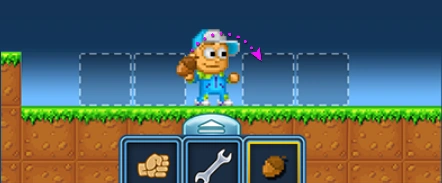

Breaking blocks can yield said blocks, their seeds, and gems, you can plant seeds to the ground by selecting them from your inventory and then clicking on a block within your reach, the planted seed will then sprout and grow into a mature tree that can be harvested by punching it.
Harvesting a tree yields blocks and can also drop seeds and gems. E.g. A Soil Block tree will yield Soil Blocks and might also drop Soil Block Seeds and gems along with special drops (e.g. Feather, Snail and Shiny Pebble), the gained blocks can then be placed in the world and broken again.
Crossbreeding
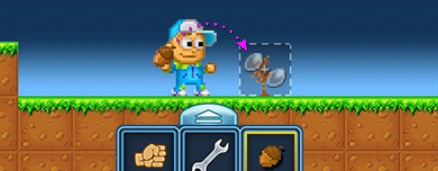

You can create new trees by crossbreeding two seeds that are compatible with each other, to do this you plant one seed as usual then another one on top of it. If the crossbreeding is successful the growing tree's appearance will change and the used seed will disappear.
You also able to open Recipe Book in which you're able to look at already unlocked recipes of various blocks & items, besides, you're able to look at how to make unknown items of the next/higher tiers by crossbreeding (If you already unlocked the needed ingredients for them), you can access Recipe Book through the Options Menu button or by using the Open Recipes hotkey button on PC (The "R" key by default).
User Interface
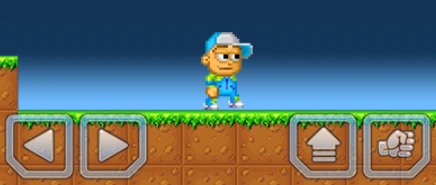

Movement, Jumping and Punching
You move around in the game using the arrow and jump buttons, to punch you have two choices, the first being the punch button which hits things in front of you, the other choice is the fist tool in your inventory that allows you to hit towards all directions by clicking on blocks within your reach in the environment, all of these buttons can be found on the bottom side of the screen.
If you're using PC version of Pixel Worlds, you're able to edit controls by clicking Escape (or esc) -> Settings -> Input Settings.
Friends, Expressions and Chat
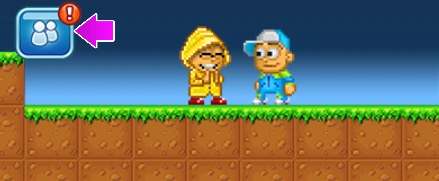

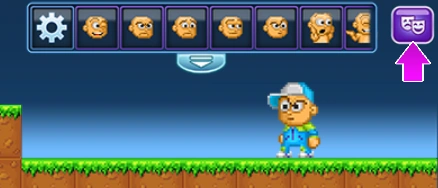



You can add players that are in the same world as you, by clicking on them with the wrench tool and choosing the adding to friends option. The social button on the left side of the screen shows you all your friends, their online status and their location and allows you to remove a friend or warp to their current location.
The expressions menu can be accessed by clicking on the icon with two masks, there are two types of expressions: face & body. Face expression can be locked by double-tapping (clicking on PC) on them, you can also set your favourite expressions and unlock the new available ones by clicking on the gear-icon.
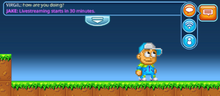
Chat is used to socialize and chat with the other players, you can adjust the size of the chat window by dragging the moving arrow and chat using the speech bubble icon found on the right side of the screen, there are 3 chat buttons: the 1st one is the normal chat, which only players from the world you are in can see, the 2nd button is Global Message, which costs 2,500 Gems every time you use it and it sends a message to every player online, the 3rd button is the Private Messaging button, which lets you Private Messages your online friends.
Options Menu Button and Zoom Level
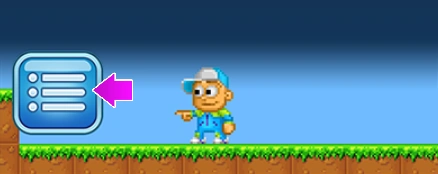

The Options Menu button is used to open your personal player info, settings menu, exiting to main menus and respawning, you can also access to the Shop, Recipes and add the current World to your Favourites list.
The game has four different zoom levels, to change the current zoom level click on the magnifying glass on the right side of the screen. You can also use the Minus & Period keys on PC to zoom-in and zoom-out, additionally, to that you can also use your mouse wheel to do the same thing.
Gems

Tapping the gem icon on the left allow players to enter the shop where they can buy more gems or use their gems to buy Byte Coins or items.
Inventory, Wrench & Wiring
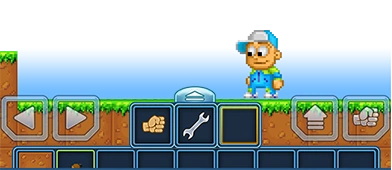
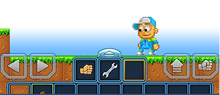

All the items that you are carrying are shown in the inventory and you can select them by tapping, the three (or four if you're wearing Wiring Tool) slotted bar at the top is your quick access bar that has the fist & wrench tools and a slot for the item you lastly used along with the extra wiring tool slot if you're wearing the Wiring Too, inventory items can be dropped, destroyed or traded and they all have their own unique item information, in order to drop, trash, view information or use an item's unique feature (changing world background, fusing, etc) you need to either hold on it or right click it.
Inventory slot space can be increased by tapping on the plus sign located at the last slot of the inventory. If the said button isn't available you have reached the maximum amount of inventory upgrades.
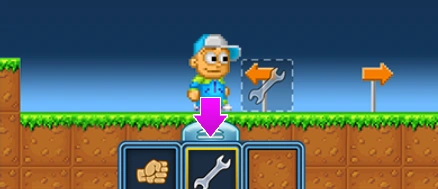

The wrench is used in a multitude of ways. It can change the properties of certain items e.g. spike trap, access other players' character menus e.g. for trading, or in order to use features of certain items. The tool can be accessed from the quick access bar at the top of the inventory.
The wiring tool is the untradeable item which can be purchased from the in-game shop for 7,500 Gems, once equipped, it can be used to to access various wiring gates and all of the wire-able props inside of the game and change their properties (e.g. Wooden Lever, DELAY Gate, Sci-fi Light), it's also used to create and/or remove the existing wiring connections, the tool can be accessed from the quick access bar at the top of the inventory.
Player's Username

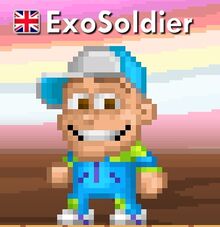

Player's username is the name of your character that everyone can see and recognize you by. It must be at least two (2) characters and at a maximum of fifteen (15) characters long. It can consist of letters A-Z, numbers 0-9 and the following special characters: _ - ^ {} [ ].
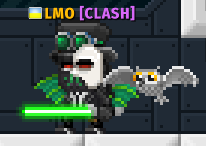

Normal players' name is either white or yellow (Yellow name is only available for players with the VIP status), the username of the players with the influencer status is green-colored, the player with in-game moderator's status is blue-colored, and the player with admin's status is purple-colored.
Clan Tags
There can also be a Clan Tag nearby to the player's username if they are members in one of the existing clans. The color in which it appears depends on the chosen Clan Faction (e.g. Darkness Faction will make the Clan Tag purple-colored, meanwhile Light Faction will make the Clan Tag blue-colored). The Clan Tag's length can only be 2-5 characters long. Clan Tag can 'NOT' be changed after creation of the clan.
VIP
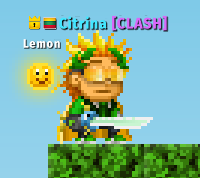

VIP status can be obtained by doing the in-app purchase inside of the game's shop or by completing achievements, quests inside of the game, it's granted for free to all of the moderators as one of the perks for their activity, regular players could also obtain it by taking part in the community surveys, giveaway and activities which are usually held inside of the Pixel Worlds-related social media platforms.
With the VIP status, you gain access to the VIP area of the PIXELSTATION world, which has special free prizes & VIP-exclusive grand-prize which can be accessed once a day, players with VIP status also get 2,000 free gems every day.
The VIP duration can stack and the different types grant you different amounts of VIP status time.



VIP Types
| Type | Duration |
|---|---|
| Bronze | 10 Days |
| Silver | 22 Days |
| Gold | 50 Days |
| Ruby | 150 Days |
| Diamond | 365 Days |
Locks
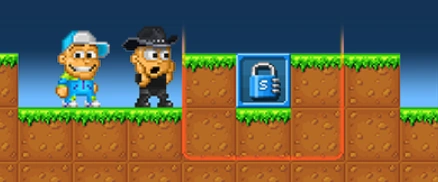

There are different kinds of locks that control either only a certain area or the whole world, the player can use locks to lock all the blocks in its area of effect or the whole world, other players cannot break blocks or otherwise edit an area you have locked unless you (the lock owner) change the locks settings to allow this by using the wrench tool on the lock, "Be careful with who you trust!".
It's highly recommended for you to not give access to people even if you know they won't scam (only early game).
You can obtain locks from the shop by using Gems with the exception of Clan World Lock which is created by paying a fee of 200,000 Gems for creation of the Clan & Clan World in one of your worlds locked with World Lock via Clan section accessible by clicking on Social Button; and Newbie World Lock which can only be obtained by creating a new account and later be turned into World Lock, Both of them decay after 30 days of owner's inactivity and player can only have a single Newbie & Clan World Locks.
Locks can also be used the other way around; to unlock a certain area from a locked world. To place a lock in an already locked world you need to own both of the locks.
Newbie World Locks & Clan World Locks decay after 30 days of inactivity. Small, Medium and Large Locks decay after 90 days of inactivity, World Locks, Dark World Locks, Platinum Locks, Battle World Locks and Faction Battle World Locks decay after 365 days of inactivity.
Types of Locks


Quests & Achievements
Pixel Station
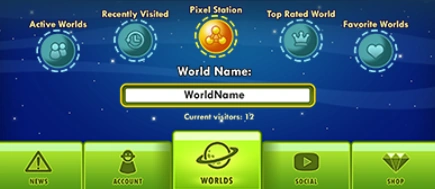

Pixel Station is one of the few dynamic worlds inside of the game, it can be accessed by clicking on Pixel Station-icon at the top of Main Menus. In the Pixel Station you will be able to claim your free daily gifts, get some daily quests, use PWE Terminals, etc, you can find deeper information about this topic in the Pixel Station page.
Fishing
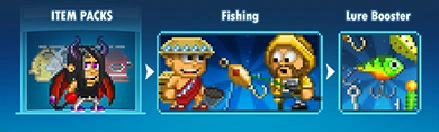

Fishing is one of the ways to obtain Gems in Pixel Worlds and generally a fun activity, to start fishing you need to have a Fishing Rod and some Lures, both can be bought from the in-game Shop, there is also a Fishing Kit available.
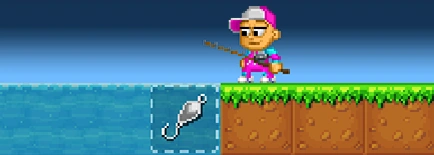

Use a Lure by selecting it and tapping a free water surface while standing right next to it, you also need to have a Fishing Rod equipped.
The depth of water or any other liquid determines the depth you are fishing, different specifies live in different depths.
The more you have liquid connected to each other, the more often you catch fish, the more water, the better!
Backgrounds also play a part in how different lures work, some lures might work better or worse with e.g. Winter Background.
Pets
Clans

Creation of The Clan
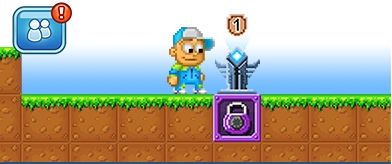
To create a new Clan, you need to be in a world that you have locked with a basic World Lock and from there, press the Social Button in-game and select "Create Clan" from the Clan tab (You need to be at Level 25+).
This will change your World Lock into a Clan Lock and you will become the Leader of that clan, when creating a new clan you will be asked to fill out the clan's info, this will include the clan's Name, Tag, Info and Faction, remember that 'ONLY' the Info can be changed afterwards! The Clan's Faction determines e.g. the color of your Clan Tag and some of the clan specific items you're able to purchase from the Shop.
Joining the existing clan
If you want to join an existing clan, just ask for an Invite from a player that already belongs to a clan and has the rights to invite new members, the invite can then be accepted just like a friend request, a player can only be a member of one clan at a time.
Clan Totem & Leveling Up
A Clan Totem must be placed in the clan world for the clan to be able to Level Up, you can also check other clan info from the Totem, leveling up the clan allows more members to join the clan and it will also unlock certain Clan Bonuses, these bonuses can be then acquired by leveling up your personal Reputation Level.
Both the Clan Level & Reputation Level can be increased by accumulating XP and then leveling up, all the basic in-game XP you accumulate from the point of joining a clan will then be also added to both of these in addition to your normal Experience Level, remember that if you leave a clan or are kicked out of one, your personal Reputation Level will be 'RESET' to 1!
Clans Ranks
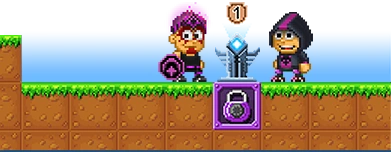

Clans also have a Rank system that gives different rights to members, such as inviting or kicking out members, etc.
A clan member with higher rank can also promote or demote a lower ranking member.
When you create a new clan, you automatically become the highest ranking member of that clan which is called the Leader, when you invite other members to your clan, they will start at the rank Rookie.
Rights for Ranks:
Leader: Leader has all the rights which include: Ability to Invite, Kick, Promote, Demote and Edit the clan info, the leader is also the only member of a clan that can Disband the clan.
Co-Leader: Co-Leader has the rights to Invite, Kick, Promote, Demote and Edit the clan info.
Elder: Elder is able to invite new members to the clan & kick any lower ranking members.
Veteran, Member and Rookie: These lower ranking members do not have any special rights.